My iPhone became a dumbphone, and I built the launcher in React Native
In the McLovin post I wrote that iOS and Android were for later. Their turn came, just through a different door. What I went and did on the phone was not link routing, it was getting screen out of my face.
The number that made me stop is a Brazilian one: according to Bain, someone in Brazil spends 9 hours and 13 minutes a day connected, against a global average of 6 hours and 38. In the same survey, screen time is the habit Brazilians would most like to change, ahead of diet and being sedentary. It is not that we do not notice. We notice, and we stay.
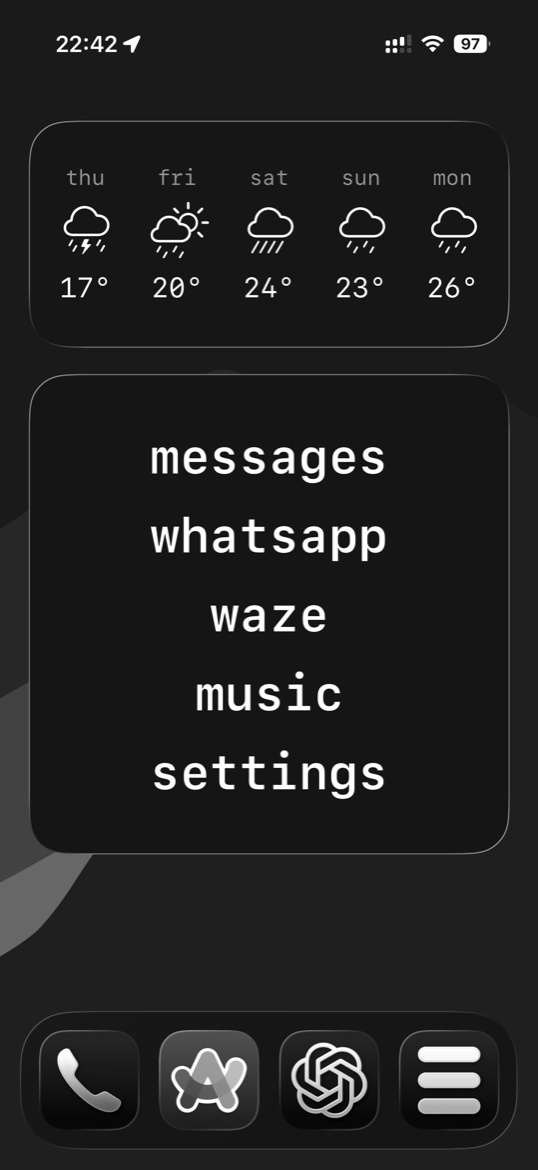 My home screen today: forecast on top, the apps as a list of names
What a dumbphone is
For anyone who has never run into the term: a dumbphone is the phone that only makes calls and sends SMS. No social apps, no games, no browser. It is what everybody carried before 2007, and it became a movement precisely because it stopped being the default. In the United States feature phones started selling again, 2.8 million units in 2023, pushed by Gen Z digital detox.
And it works. A study in PNAS Nexus blocked mobile internet for 467 people for two weeks, and attention, mental health and wellbeing all improved. But only 25.5% lasted the minimum 10 days. The effect is real and it is genuinely hard to sustain. I am not here to tell you I solved this.
Where the idea came from
What introduced me to the subject was Dumb Phone (dp), by Michael Tigas. It swaps the home screen for a list of text buttons and hides the rest through Screen Time. It is well made and it does more than mine.
Except I am a developer and I like learning and growing, and mobile is the screen everyone has in their hand all day. I could have studied that by reading changelogs and watching talks, but there is no skin in the game in that. So I went in the way that actually teaches: an app of my own, one I use every day, and on both stores.
What I built
The home screen becomes a list of names in plain text. No icons, no badges, no grid. You tap a name and the app opens.
The idea is not to become a monk, it is to remove the competition. The stock home screen is a grid of coloured squares fighting for your attention, and the apps I open every day are five. The rest is noise I scroll past. Swapping icons for text takes colour out of the equation, and without colour you stop recognising an app from across the screen and have to read instead. Reading is slower. Slower is the point.
The app is the editor, where you build the list and pick the type and the alignment. The widget is the product, and it is the part that stays on screen.
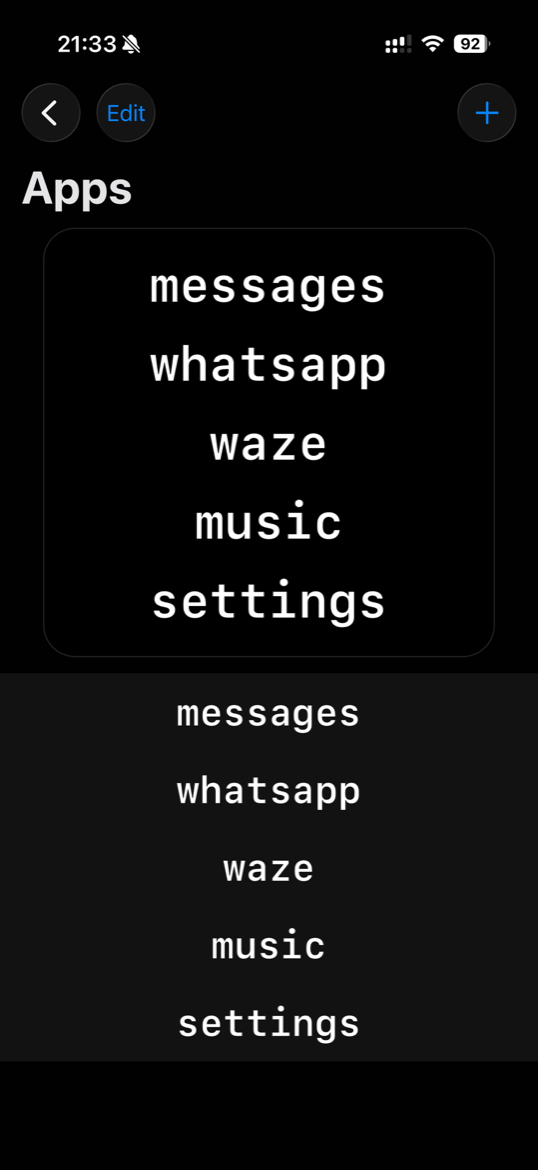 Where you build the list, with the widget preview on top
Why not just Swift
This app already existed in Swift. The first version is SwiftUI all the way through, it lives in a repo of mine next door, and it works well. Rebuilding it in React Native was a decision, not an accident.
The reason is Android. I want the same app in both places and I do not want to write it twice. This version is the first one, it is iOS, and it is already built on top of the part that travels when I cross over. Had I stayed in Swift, Android would start from zero some day.
And there is the personal reason: it had been a while, but this is not my first time. Back in the early days of React Native, when the framework was still new, I built an investment calculator for a financial institution, and what I shipped at the end of it was the APK. So the Android half of this bet is not theory to me, it is something I have already lived through once.
Beyond that, React never left my path: my day to day is Ruby, Rails and React, and React showed up on this blog back in 2020. React Native is the one that moved a long way since, and I wanted to see what it had become rather than what I remembered. For that question to get an honest answer, it has to be a real app with a real deadline.
Where JavaScript stops
Short answer: React Native covers the top half, and the platform charges you for the bottom one.
On Android you replace the whole launcher and that is that, the system is yours. On the iPhone there is no such thing. Nobody replaces the iOS home screen, and that is why every app in this niche, mine and Michael's alike, arrives through the same door: a widget. The widget is the only surface Apple lets you draw on there.
And a widget on iOS is SwiftUI, always. WidgetKit has no JavaScript runtime, that is not my preference and no library changes it. So the very part that sits on your screen, the one that matters, is Swift. Right now that is 2,840 lines of Swift against 7,371 of TypeScript, close to a third of the app.
There is one more catch, and this one the user feels. Tapping a widget row does not open another app directly, iOS will not allow it. The tap lands in the host app first, which then forwards you to the destination. You can watch it happen, and there is no hiding it.
The phrase between the taps
Instead of apologising for that flash, I decided to fill it. Every hop shows a phrase, held for as long as you choose, zero to four seconds, and then you arrive where you were going.
This stopped being a technical patch and became the part I like most. If the point of the app is to slow you down when you reach for the phone, a forced pause halfway there is not a bug, it is exactly the product. A limitation of the platform became the one quiet moment on the device.
Twenty phrases ship per language, each attributed, each drawn from that language's own tradition rather than translated from English. Yours are yours to write, and they are never touched when you switch languages.
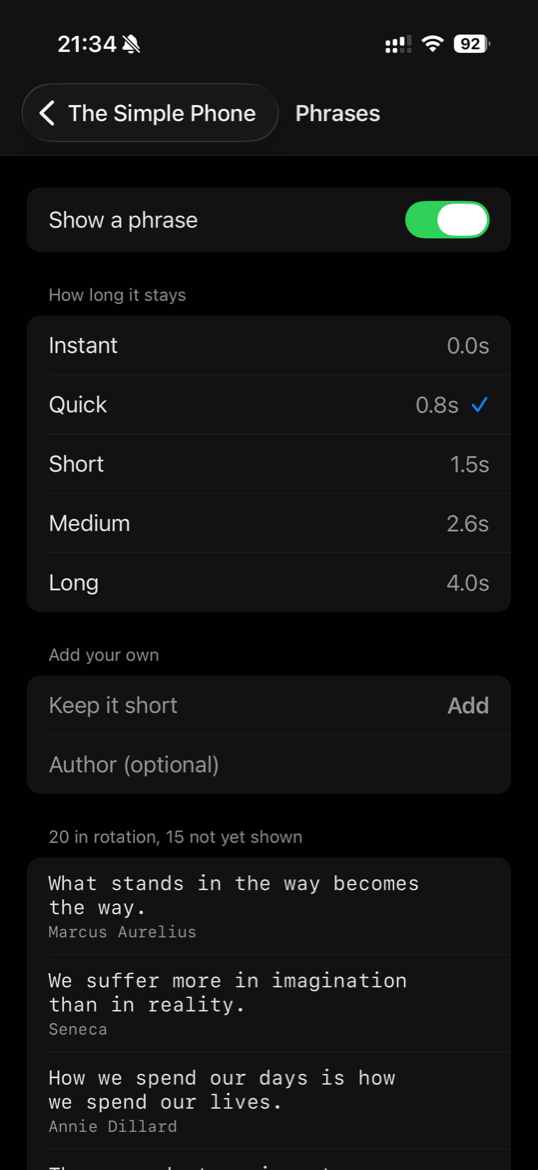 The phrases shown on the way, with who wrote them
The trap that wipes everything
This is the part I did not know before starting, and the one that nearly cost me dearly.
The app and the widget are two processes that never talk to each other directly. The only channel between them is an App Group, a shared UserDefaults, holding one JSON string. Sounds trivial. It is not.
If you hand the native side an object instead of a string, the bridge turns the JavaScript true into 1. Swift then tries to read that as a Bool, throws, the throw escapes, a try? swallows it, and the entire config resets to the factory default. Every app the person added is gone. No error on screen, no log, no crash.
That is why the native module here takes a String and never an object. And it is why the project's 257 tests barely look at the screen: they fence off the four places where being wrong is silent. The rule I follow is to test the failure, not the happy path, because malformed input is what actually reaches that code.
Status
The code is open at github.com/guilhermeyo/tsp, under MIT. It runs on my iPhone every day, and the list in the first screenshot is my real one.
Next stop is the App Store. After that, Android, which is the reason all of this is in React Native.
Wrapping up
I did not become more productive overnight, and that study already warns that holding on to this is the hard part. What changed is smaller and more concrete: I pick up the phone to do one thing and I put it down having done that thing.
There are a lot of people right now telling you they have AI working 24 hours a day, seven days a week, running a hundred products at once. Shipped ones I see very few of. I would rather have the opposite: one app, finished, that I use every day and that anyone can pick up and use.
And finishing is what teaches. I learned React Native by reading about React Native, and I learned a lot more by taking an app all the way and hitting every limit the platform imposes. The foundation is the same one I have been building for years of my career, only applied through a different technology, and that is where it settles: you find out what was actually a concept and what was just a habit of the old tool.
In the McLovin post I said iOS and Android were for later. Later arrived, and the bar I set for myself is the same one from back there: the same app on both systems, written once. For now it is half delivered.
Comments